
The app for fitness club members
Book, get in and pay at the gym without queuing
Your club uses UPfit.today for classes, entry and memberships. Download the app for free, enter the code from the front desk once and it's all on your phone.

Run a fitness club? See the app for clubs
Some of the fitness clubs that work with UPfit


What you did at the front desk, you now do on your phone
UPfit.today is your club's member app. You book your place in classes, get in with the QR code on your phone and check or renew your membership. Your club sets it up with its logo and colours, and you find its services there.
- Class bookings
- QR code check-in
- Membership paid online
- News and notifications
- Your club's trainers
- Android, iPhone and Huawei

What you do in the app
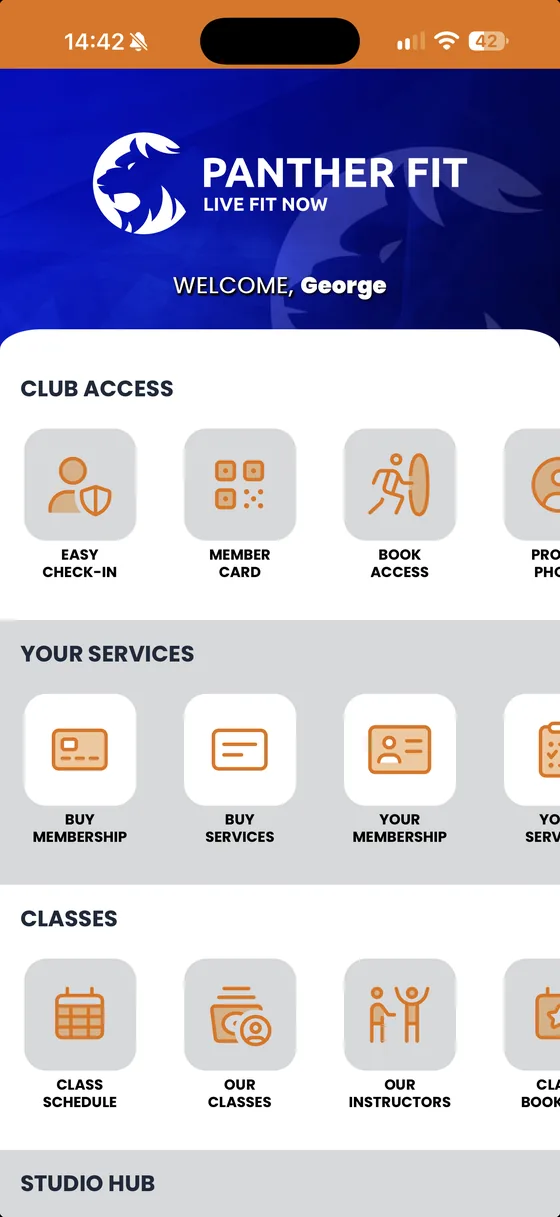
These screens come from Panther Fit, a demo club. In your app you see your club's logo and colours, and the sections depend on the services your club offers.
-
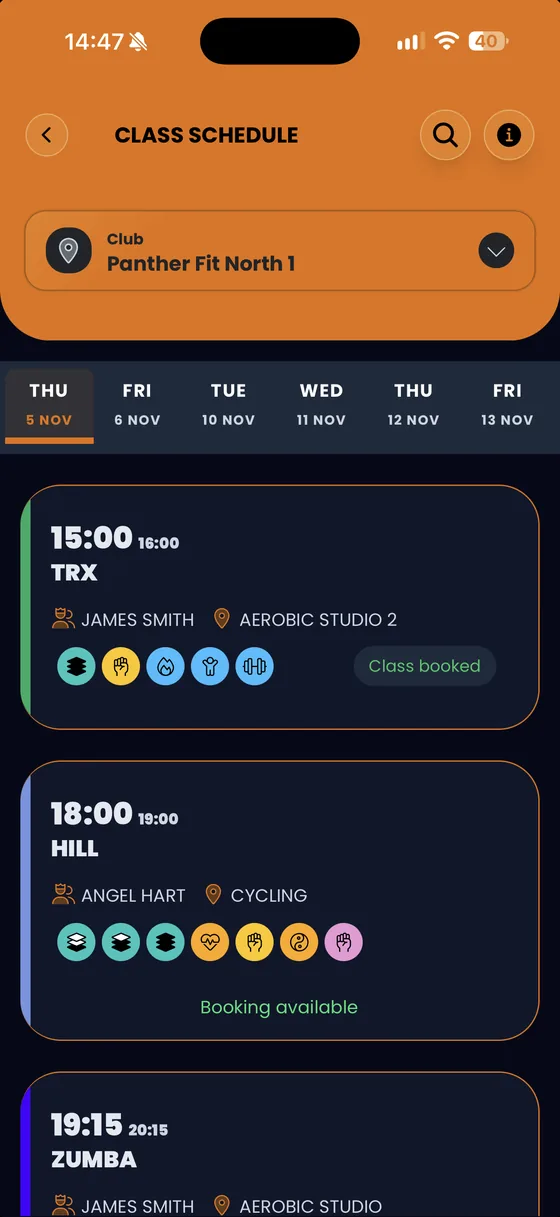
Book classes
Pick the day and the club, open the class and book your place; if you can't make it, cancel the booking here too.
-
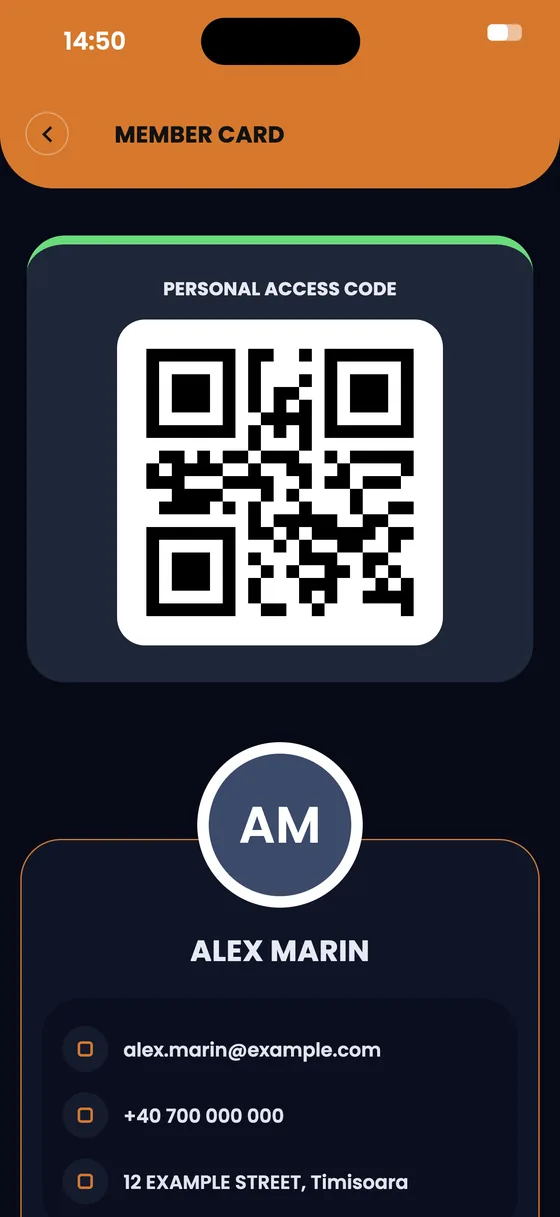
Member card
At check-in you show the QR code in the app. The code refreshes every few seconds, so it can't be copied.
-
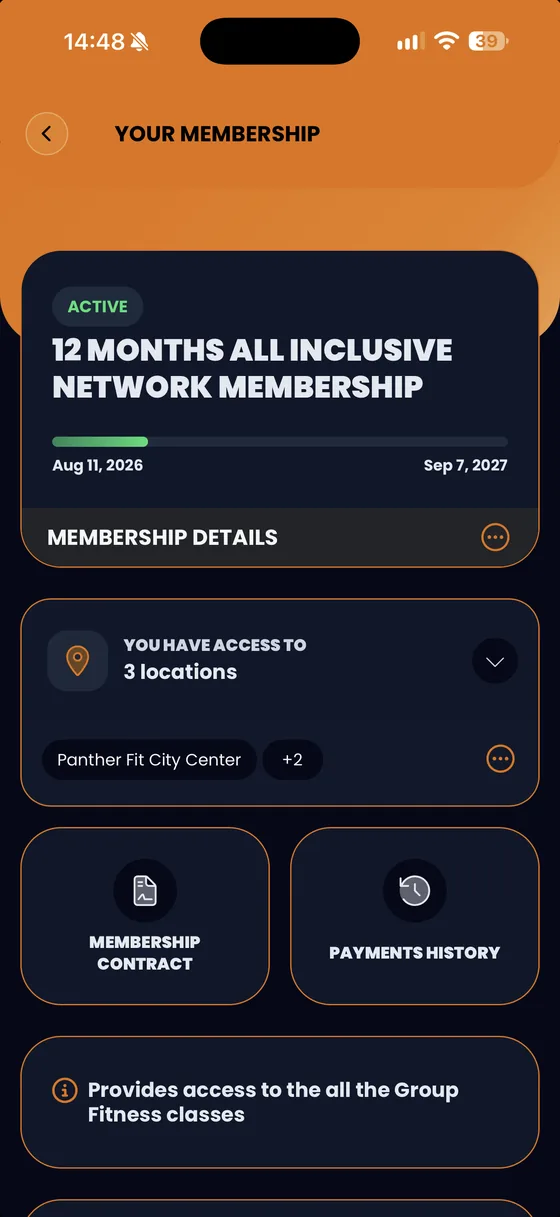
Your membership
See when it expires, which locations you can use, your contract and your payment history.
-
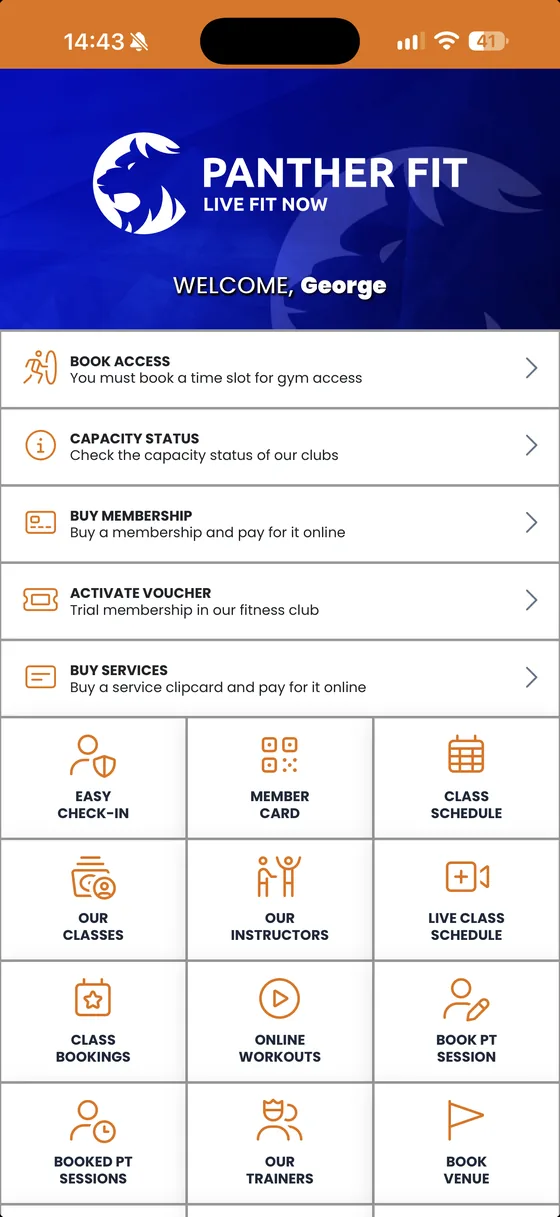
Buy online
Buy or renew your membership or a pack of services and pay online, in the app.
-
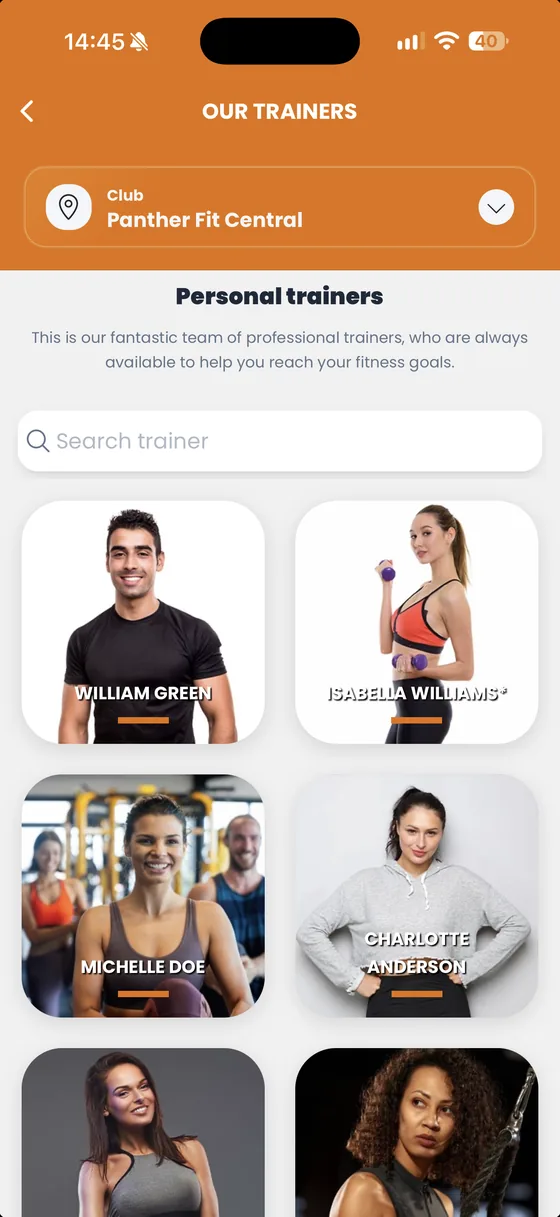
Your club's trainers
See the trainers at each location and search by name for the one you want to work with.
-
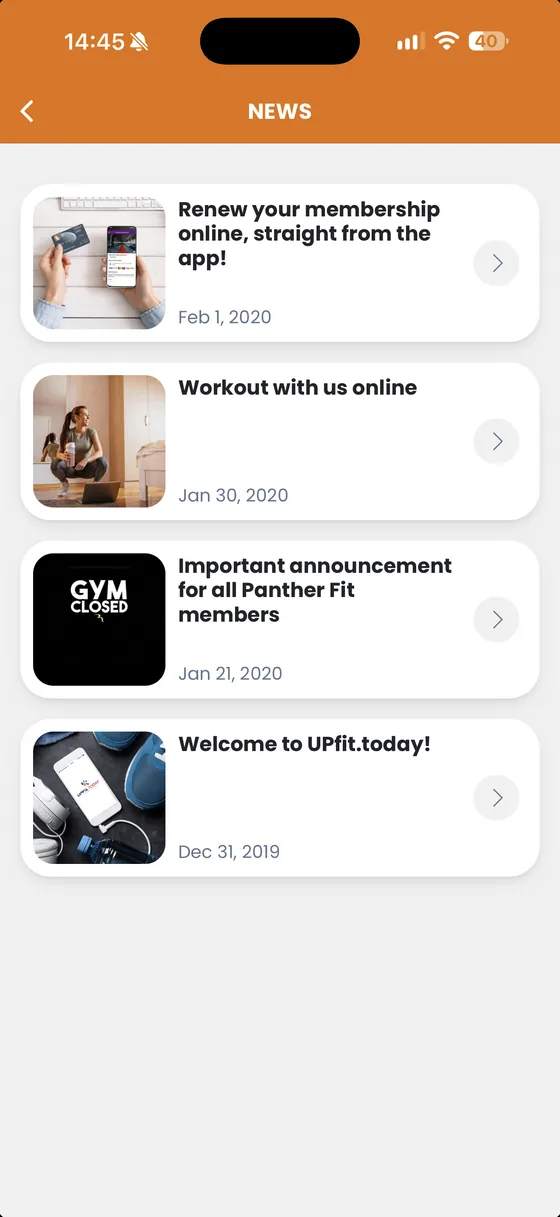
News from your club
Your club posts its announcements in the app, such as a day it's closed or a reminder to renew.
Get started in three steps
-
Download the app
From the App Store, Google Play or AppGallery. It runs on Android 10 or newer, on iPhone with iOS 15.6 or newer, and on Huawei phones.
-
Enter your club's code
Every club has its own activation code, which you get at the front desk. You enter it once, the first time you open the app.
-
Sign in and book
Sign in with your email address and the PIN emailed to you when you created your account. From then on you can book classes and your member card is with you.
Does your club have its own app? Search the store for your club's name.

What members ask us most
Short answers to what members write to us before they install the app and in their first days with it.
How much does the app cost?
Nothing. The app is free for members of the clubs that use it.
Does the app work at my club?
UPfit.today only works at clubs that use UPfit.cloud. The surest way to find out is to ask at the front desk, where you also get the activation code. If your club has its own app, search the store for the club's name.
Where do I get the activation code?
From your club's front desk. Every club has its own code, and you enter it only once, the first time you open the app.
Which phones does it work on?
On Android 10 or newer, on iPhone with iOS 15.6 or newer, and on Huawei phones through AppGallery.
I forgot my PIN. What do I do?
Your PIN was emailed to you when you created your account. If you can't find it, reset it in the app with your member account's email address.
Can I cancel a booking?
Yes, in the app. How late you can cancel, and what happens if you cancel late, is up to your club.
Can I use more than one of my club's locations?
Yes, if your membership includes them. In the app, your membership shows which locations you can use.
Who makes the app and who sees my data?
The app is made by UPfit, the company behind UPfit.cloud. Your club manages your member data, and UPfit provides the app. The details are in the privacy policy.
Something's wrong. Who do I contact?
It depends on the problem. Email help@upfit.today when something's wrong with the app itself: it won't install, you can't sign in, your PIN doesn't work or you see an error. Tell us which phone you have and what message you see on screen. Your membership, payments, prices, offers, the schedule and booking rules belong to your club. For those, and for anything about how the club works, ask at the front desk: your club sets them and your club can change them.
Why do I need to update the app?
Updates bring security fixes and keep the app working with new versions of Android and iOS. We release an improved version every month.
For clubs
One app, in your club's colours
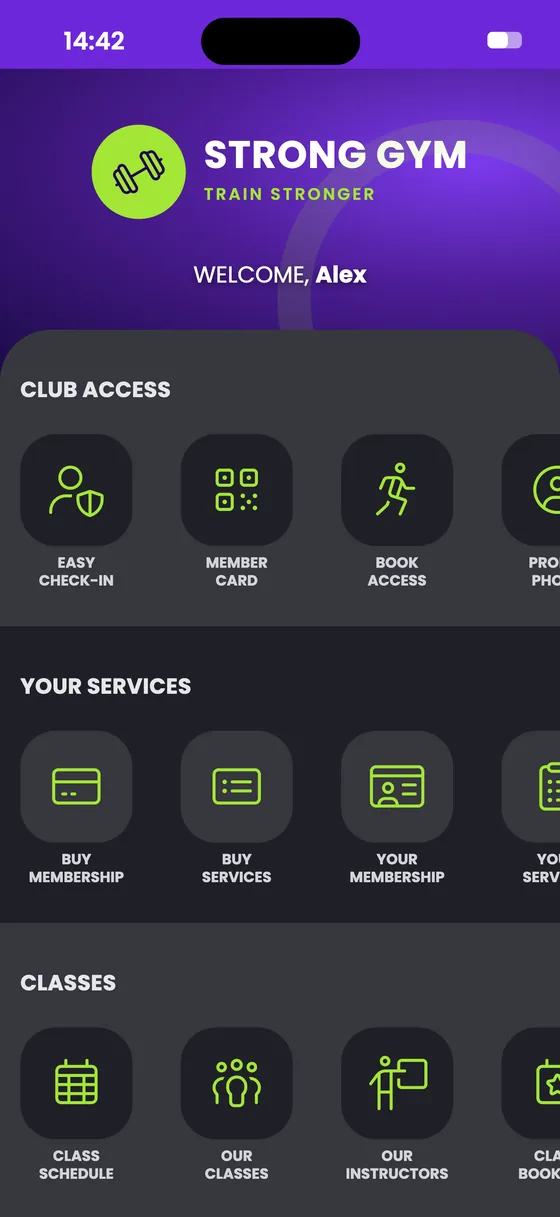
Your members book, check in and pay from their phones, and everything they do in the app is saved in UPfit.cloud. We set it up with your club's logo and colours.
- Chains with at least 5 locations can have a white-label app. It's listed under the club's own name and logo in the App Store, Google Play and AppGallery. Other clubs get UPfit.today, set up with their logo and colours.
- Members buy and renew their membership in the app, with online payment built in.
- New clients sign up and buy their first membership straight from the app.
- The member card is a QR code, used at the front desk or with access control systems.
- The class schedule comes straight from UPfit.cloud. Change a class there and members see it in the app, with nothing to post on your website.
- From UPfit.cloud you send notifications to members and post news in the app.
Updated monthly
An improved version every month
A phone app needs upkeep, even when members see nothing change on screen.
Why it needs upkeep
- Every new version of Android and iOS brings security and performance changes. Some of them only reach an app that is built for that version.
- Google Play only accepts updates for apps built for a recent version of Android. One that falls behind can no longer be installed by new users on newer versions of Android.
- Apple requires every app uploaded to the App Store to be built with recent development tools, and the bar rises periodically.
- The components the app is built on get security fixes, and those only reach members through an improved version.
What UPfit does
UPfit releases an improved version every month, for UPfit.today and for every white-label app. Updates are included, at no extra cost to you.
- Jan
- Feb
- Mar
- Apr
- May
- Jun
- Jul
- Aug
- Sep
- Oct
- Nov This month
- Dec
Each dot is an improved version
Security in the app
- The member card's QR code regenerates constantly, so the card can't be used by more than one person.
- If the same account checks in from different phones, UPfit.cloud flags it.
- Members can sign in with biometric authentication.
- Card payments go through the payment processor your club chooses, and card details aren't stored in the app.
About UPfit
Your app and your club's platform, from the same team
UPfit makes UPfit.cloud, the platform fitness clubs use to manage their members, memberships, classes and online payments. UPfit.today is the app for those clubs' members, built by the same team in Timișoara, who improve it every month. We wrote the first lines of code for UPfit.cloud in 2014.
See what UPfit.cloud does (opens in a new tab)- 360+ fitness clubs
- 460,000+ active members
- €11M+ processed online every month
- 7 countries
Romania, Hungary, Serbia, Croatia, Estonia, the United Arab Emirates and Oman
Figures from October 2026.